


Description
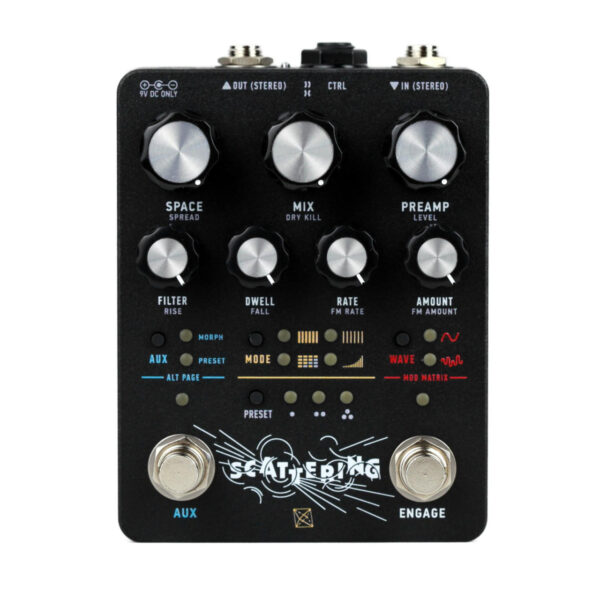
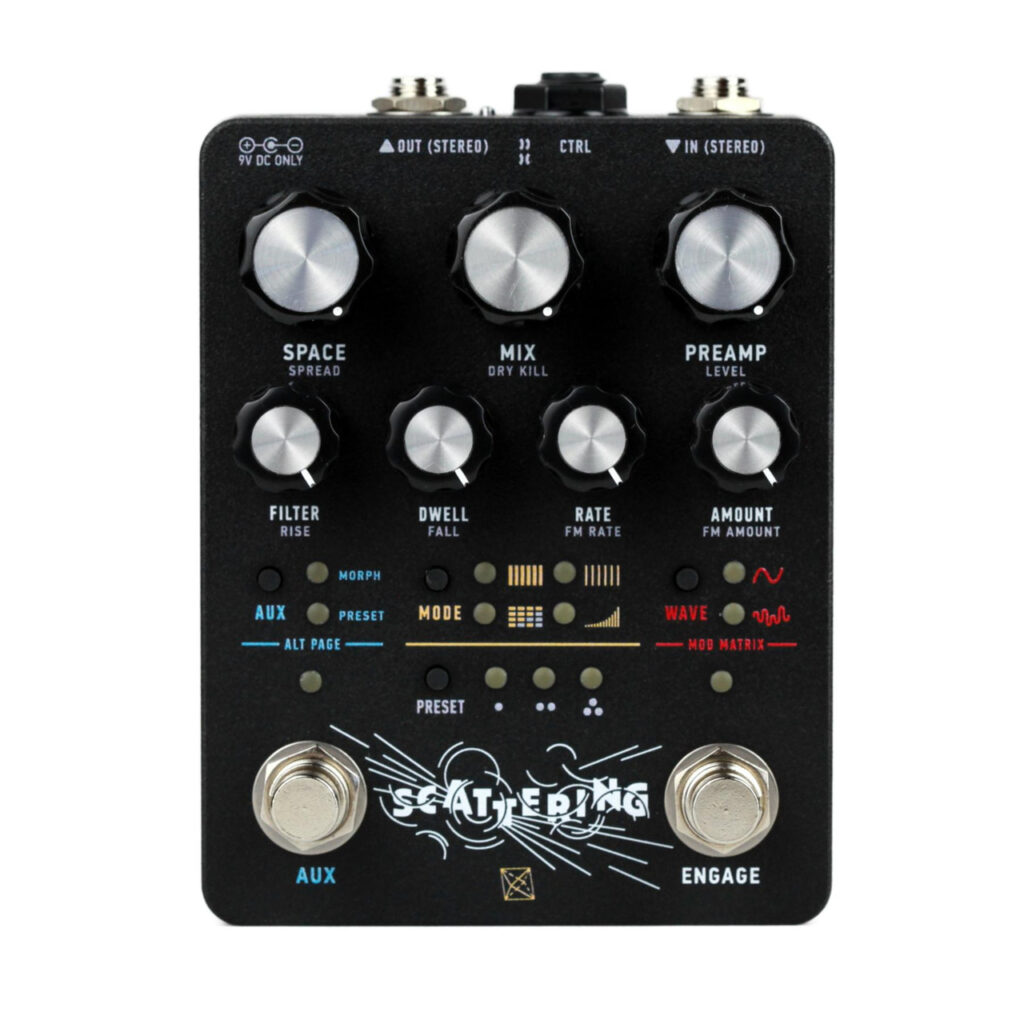
Scattering is a stereo reverb built around a complex network of delay lines. Forsaking the diffuse atmospherics of traditional digital reverb, it instead creates a lively dance of fluttering echoes strewn into space. Here the boundary between analogue and digital is thin. The core timbre can be harsh and ringing, or murky and saturated. Four modes, each representing permutations of the lost MN3011 bucket brigade device, offer branching paths into proto-algorithmic realms. Within, you can find all manner of textural reflections. But, far from just an ambient effect, Scattering is able to saturate, modulate, and spatialize with an immediacy worthy of rock-and-roll practicality. Building upon our analog/digital hybrid ecosystem, Scattering has a deep interface with presets, MIDI, assignable modulation, and extensive expressive control over all parameters. The I/O and analog/digital processing are true stereo—a first within our catalogue. Reverb gives our music a sense of space. We hope Scattering is a fun one to explore. Controls Space: Sets the length of the individual delay taps which make up each reverb mode. Turn clockwise to increase the delay time. At longer settings, the individual taps become more distinct. This control works by changing the sample rate of the DSP, which will create artifacts at longer settings. Mix: Blends between the input signal (post preamp) and the reverb output, from fully dry to 100% wet. Preamp: Controls a stereo analogue gain stage located at the input. It affects both the wet and dry paths. At higher settings, it will introduce warm analogue saturation. (Note, this can get fairly loud if you let it. The Level Alt function is useful here.) Filter: Controls a stereo, analogue, two-pole low pass filter applied to the reverb output. The cutoff extends below 20Hz, which is handy for creating swells. Dwell: Applies feedback to the reverb taps to increase the decay time. In some modes, high Dwell settings will lead to runaway oscillations. LFO Rate+ Amount: Controls for an LFO (low-frequency oscillator) modulating the Space control to produce chorus and vibrato. Rate and Amount adjust the speed and intensity, respectively. The Wave button selects a periodic or randomised waveform. Engage Activates the pedal. Long press to toggle Trails on and off. The Engage LED will briefly flash to acknowledge the change. With Trails enabled, the preamp remains active at all times and the reverb will decay naturally when the pedal is bypassed. Aux (Footswitch): A multi-function performance tool. The behavior of the Aux footswitch is selected using the corresponding Aux button. In Morph mode, the Aux footswitch allows for dynamic ramping between two control states. For more info about morphing, refer to Section 3.5. In Preset mode, the Aux footswitch can be used to scroll through saved presets. To learn more, refer to Section 3.3. Aux (Button): Toggles the state of the Aux footswitch. Long press to access Alt functions Mode: Selects one of four reverb algorithms. – x1 – Six taps with lengths derived from the MN3011 BBD. x2 – MN3011 taps with double the length; more like a delay. Matrix – A network of parallel delay lines, capable of stable infinite reverb. Nonlinear – Tapped delay line read with a swelling envelope.